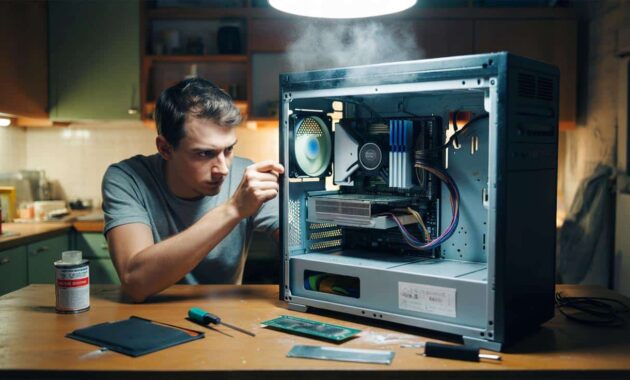
The guy thought he was just buying a doorstop.
A grimy tower lurking on a metal shelf, sandwiched between old printers and a box of tangled chargers. Fifteen euros on the sticker. No keyboard, no screen, no guarantee. The kind of old PC that usually ends its life in a backroom, waiting for the recycling truck that never comes.
He hesitated five seconds, then told himself: “For that price, even if it turns on once, I win.”
He walked out with the dusty machine under his arm, half amused, half convinced he’d just thrown away a small crumpled note.
He had no idea he was carrying home a hidden rocket.
A €15 PC that refuses to die
Back home, he set the machine down on the kitchen table, next to a coffee mug and a pile of unwashed plates.
The case was scratched, the power button sticky, the fan grid full of grey fluff. When he opened it, a small cloud of dust flew out like an ex-smoker taking a deep breath.
Inside, the surprise started.
An Intel i5 from a few generations back, 8 GB of RAM, a modest but honest graphics card. Nothing to brag about on Reddit, yet miles ahead of what you’d expect for the price of three fast-food menus.
He stared at the components and felt the first twinge of excitement.
We’ve all been there, that moment when you think you’re holding junk and suddenly glimpse a small treasure.
He plugged in an old monitor, borrowed a cable from another PC, dug out a forgotten keyboard from a drawer. The tower coughed, whirred, and… booted straight into an outdated Windows desktop with a wallpaper from another era.
The previous owner hadn’t even erased their shortcuts. Old accounting software, a folder called “photos 2016”, a half-broken antivirus.
He checked the specs: the processor still held up, the RAM was fine, even the hard drive wasn’t making that ominous clicking sound.
For €15, he had just adopted a retired office PC that still had plenty of fight left.
From there, the question changed: not “Does it work?” but “What can I really do with this thing?”
That’s where most people underestimate old hardware. We picture laggy browsers and fans screaming like an airplane on takeoff.
Yet in recent years, lighter operating systems, smart upgrades and streaming services have flipped the script.
An old workhorse PC, once freed from its bloat and given a bit of care, can browse, stream, edit documents, even run some games.
*The bottleneck is rarely the raw power — it’s how brutally we misuse it with heavy software and twenty tabs of videos autoplaying.*
From junk to workhorse: the simple transformation
The first thing he did was the least glamorous step: cleaning.
He unplugged everything, grabbed a screwdriver and gently pulled off the side panel. A brush, a can of compressed air, ten minutes of patience, and the fan blades went from grey to black again. The power supply vents could finally breathe.
➡️ The 10 second signal from 13 billion years ago shows Nasa wasted billions on wrong theories
➡️ The baking soda method to clean burnt pots that restaurants swear by
➡️ Almost one in two Germans will develop cancer – RKI study reveals the four most common tumour types
➡️ The vinegar and washing-up liquid combo that clears cloudy glassware instantly
➡️ The surprising reason your compost smells bad and how to fix it in one step
➡️ These zodiac signs are destined for major prosperity in 2026, according to astrological forecasts
➡️ Wood stove owners swear by it: the low-cost accessory that boosts comfort and cuts heating bills
➡️ Psychology explains why emotional reactions don’t always match the present situation
Then came the basic upgrades.
He found a cheap 240 GB SSD online, cloned the old hard drive, and switched the system over. Just that single change turned a sluggish boot into a 20-second startup.
Suddenly, the €15 PC felt… alive.
This is where most people give up. They get an old PC, run it as-is, and blame the hardware.
But a few simple gestures change everything: reinstalling a clean system, deleting preinstalled junk, disabling three-quarters of the auto-start programs that serve no purpose.
Let’s be honest: nobody really does this every single day.
Yet the difference between a “useless” second-hand machine and a perfectly usable one often comes down to two quiet hours on a Sunday.
He installed a light Linux distribution next to Windows, out of curiosity. On Linux, the same PC suddenly felt lean and focused, perfect for browsing, writing, even a bit of light photo editing.
He laughed one evening, realizing he had created, for the price of a pizza, a small Swiss Army knife of a machine.
No RGB lights, no ultra-wide screen, no influencer setup. Just a discreet tower humming in a corner but handling 1080p YouTube, office work, email, and some older games without flinching.
“People think you need a €1,000 PC to do basic stuff. In reality, a €50 second-hand machine, well cleaned and set up, covers 80% of what most of us do,” he told a friend who was about to buy a brand-new laptop on credit.
- Clean the inside: dust, fans, vents — less heat, more lifespan.
- Add an SSD: the single biggest speed boost for a tiny budget.
- Increase RAM to 8–16 GB if possible: smoother multitasking.
- Install a light OS: Linux or a fresh Windows with minimal junk.
- Keep it focused: browsing, office, media, a few games — not everything at once.
What these “junk” PCs really change for us
The story of this €15 PC isn’t just a lucky find, it’s a small crack in the usual consumer script.
His friends were sceptical at first, then intrigued, then a bit annoyed when they realized their expensive laptops didn’t feel that much faster for everyday use.
He ended up using the machine as a home server, a backup workstation for remote work, and a safe place to let kids play older games without risking anything.
It absorbed tasks that would have required new gear for many people.
Behind this, there’s a quiet shift.
Second-hand PCs from offices, schools and companies are hitting the market in waves, often sold by the kilo. Inside those anonymous grey boxes, there are processors that still punch far above the needs of everyday life.
The emotional gap is big though.
We love unboxing the new, peeling plastic, smelling that “fresh electronics” scent. Used machines feel like hand-me-down clothes. Yet when we start them, open a browser, type a document, that slight shame disappears. Only what works really matters.
For some, these cheap PCs are a way to test new things: installing Linux without fear of breaking their main machine, exploring retro gaming, hosting a small home media server.
For others, they mean the difference between having a computer for studying or none at all.
There’s also a blunt ecological plain truth: every reused PC is one less box manufactured from scratch, one less bundle of metals and plastics extracted, shipped, assembled.
And strangely, once you’ve experienced a €15 machine quietly doing its job day after day, flashy product launches feel just a bit less magical.
A dusty tower on a shelf turns into a small reminder: not everything valuable comes in a sealed box.
| Key point | Detail | Value for the reader |
|---|---|---|
| Hidden potential of old PCs | Office towers with mid-range CPUs and enough RAM still handle most daily tasks | Realize you may not need a new machine for browsing, office work and streaming |
| Simple, low-cost upgrades | Cleaning, SSD install, light OS, basic RAM upgrade | Turn a “slow brick” into a usable PC for a tiny budget |
| New uses for second-hand machines | Home server, study PC, kids’ gaming, test bench for new systems | Multiply the value of a cheap purchase and reduce electronic waste |
FAQ:
- Question 1Is a €15 or €20 second-hand PC really worth it?
- Answer 1Yes, if it at least powers on and has a halfway decent processor (i3/i5 or AMD equivalent) with 4–8 GB of RAM, it can handle basic use once cleaned and refreshed.
- Question 2What’s the first upgrade to think about on an old PC?
- Answer 2An SSD almost always comes first. Swapping a mechanical hard drive for an SSD radically improves boot time and responsiveness for a modest cost.
- Question 3Can you really game on such an old machine?
- Answer 3You can run older or less demanding games, indie titles and many eSports games at lower settings. For recent AAA games, you’ll often need a better graphics card.
- Question 4Is it risky to buy a used office PC?
- Answer 4There’s always some risk, but business machines are often built sturdier and maintained regularly. If possible, test that it boots and listen for suspicious noises from the hard drive or fans.
- Question 5What can I do with an old PC besides normal desktop use?
- Answer 5You can turn it into a media server, a small NAS, a retro gaming station, a machine for kids, or a test platform for learning Linux or home automation.